Review the CIS
Confirm the assigned trip and choose the correct next workflow.
Open the assigned CIS from Calendar before requesting gear or creating a Program. The CIS keeps the trip, clients, dates, itinerary, required fishing work, and field notes in one context.
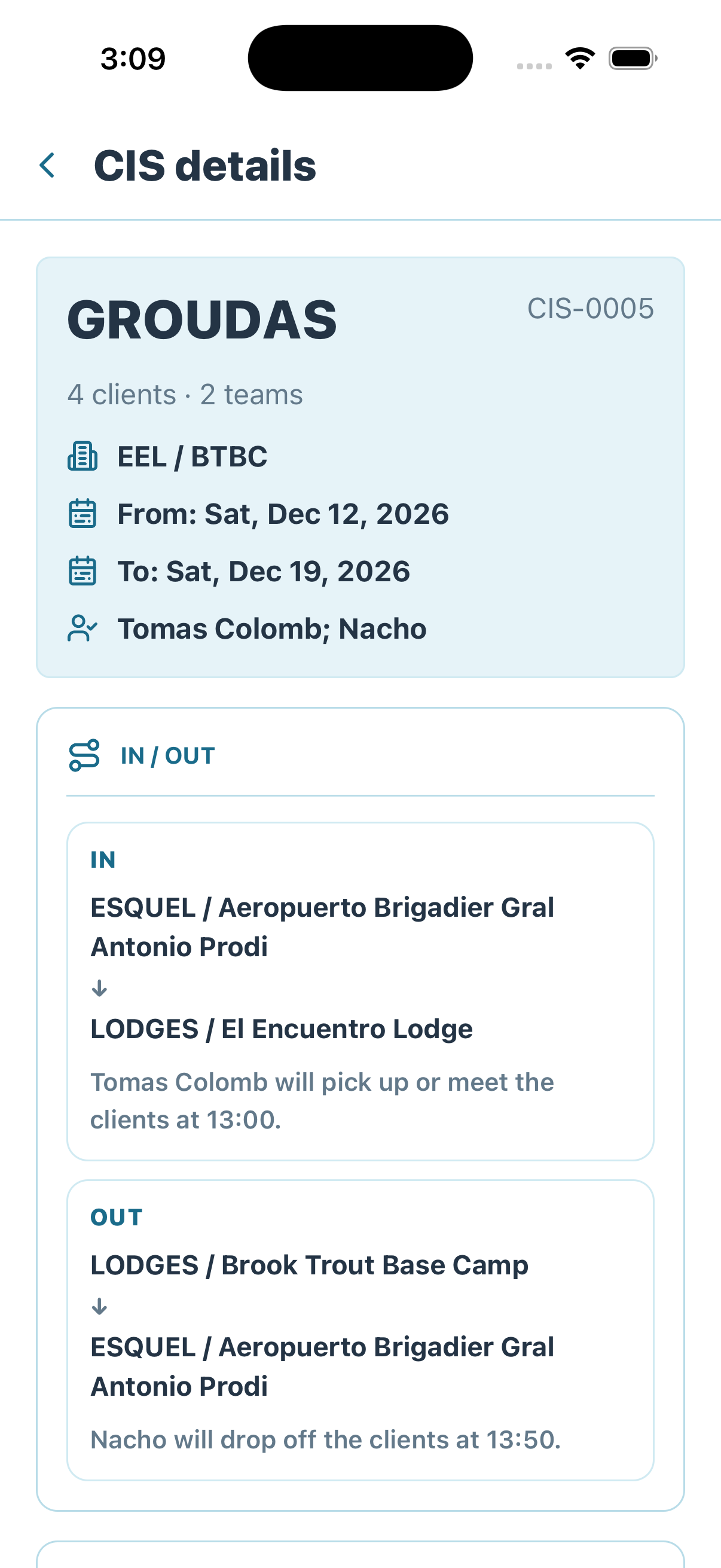
Start with the CIS summary to confirm that the group, dates, lodges, and itinerary match the assigned work.
Review before continuing
- CIS code — Confirm that you opened the exact trip assigned in Calendar.
- Clients and teams — Confirm who belongs to the trip and how the group is organized.
- Lodges and dates — Confirm where and when the assignment applies.
- Assigned people — Understand who is responsible for the trip and its handoffs.
- IN / OUT itinerary — Review arrivals, departures, transfers, timing, and pickup or drop-off responsibility.
If any of these details do not match the Calendar assignment, stop and return to the correct CIS before requesting gear or creating a Program.
Continue through the CIS to review participating clients, required fishing work, access, timing, and Field Notes.
In the Company work view, a linked client profile supplies the current reusable identity, health, preference, email, and phone details when the CIS snapshot is missing or stale. The current CIS remains the fallback. Guide-mode responses do not include canonical email or phone, so the contact section appears only in the authorized Company context.
Needs program means the CIS still requires Program preparation. It does not mean the guide should skip the client or gear review.
Choose the next workflow
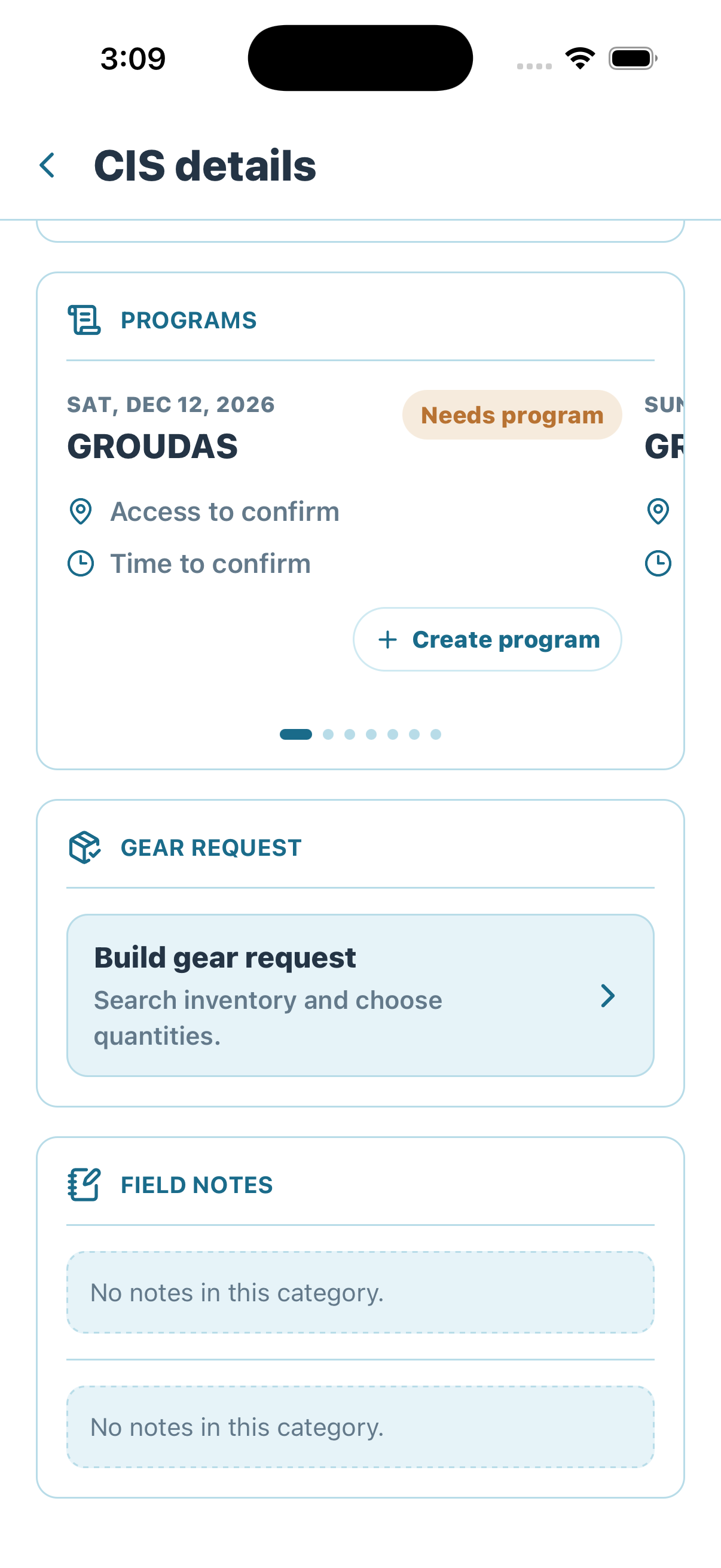
Continue through the same CIS to open Gear Request or begin Program creation.
Two separate next actions
Build gear request records the clients' equipment needs. Create program defines the fishing work. Both remain attached to this CIS, but they are documented as separate workflows.
Pending rollout: client gear creation gate
A locally implemented change will block Fishing Program creation when a selected client has an unmet recorded lodge-gear need. Requested or active client custody will satisfy the gate; returned, damaged, lost, or unrelated gear will not. The D-1 18:00 reminder is not active until its scheduled task receives separate deployment approval.
Next: request the CIS gear.
Need a definition? Open the Trailhead glossary.